dataverse-external-vocab-support
Scripts and material related to using external vocabulary services with Dataverse
LocalContexts Integration
Overview
Local Contexts is a global initiative that supports Indigenous communities in the management and sharing of their cultural heritage and data. The Local Contexts Hub is a platform that enables the creation and application of Traditional Knowledge (TK) and Biocultural (BC) Labels and Notices. These labels and notices help to communicate the cultural context and appropriate use of Indigenous data and cultural heritage materials.
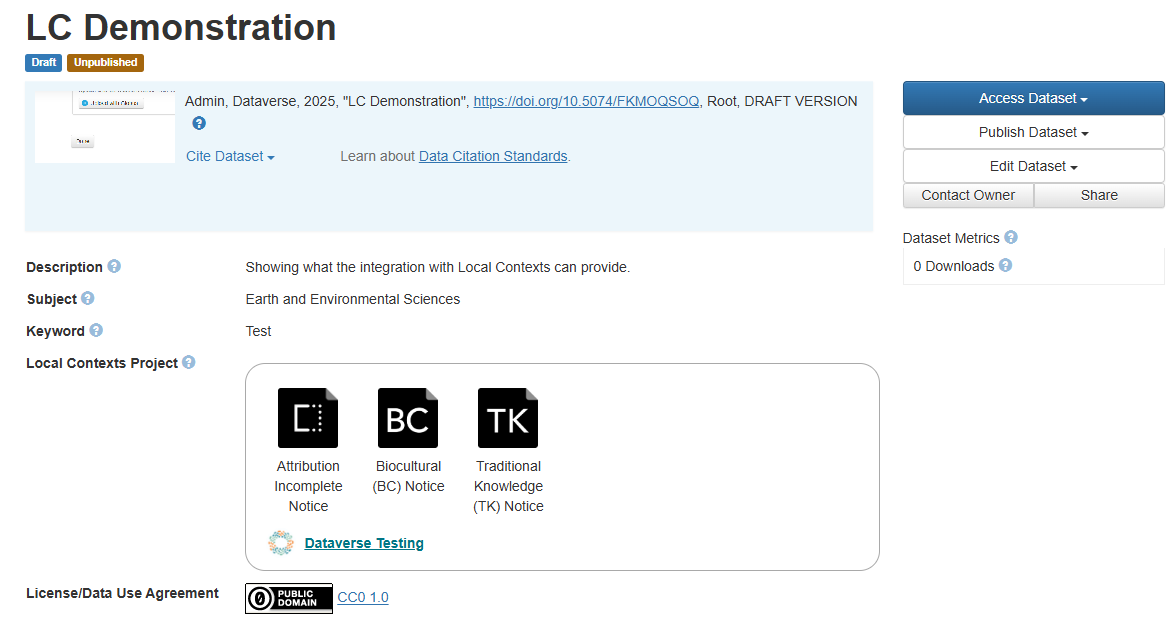
Dataverse supports integration with the Local Contexts Hub so that Labels and Notices associated with a dataset can be displayed on the dataset page:
Configuration
There are several steps to Local Contexts integration as described in the Dataverse LocalContexts Integration Guide, including the requirement to have a Local Contexts Institutional or Integration Partner account. Instructions for the steps involving files in this repository are:
-
To install the Local Contexts Metadatablock, retrieve the cvocLocalContexts.tsv and follow the instructions in the Dataverse Guides to install it. Be sure to update the Solr schema as directed. The metadatablock contains one field allowing Dataverse to store the URL of an associated Local Contexts Hub project. (As with any metadatablock, the Local Contexts block can be restricted to only being available in a specific collection (and it’s subcollections) by adding a dataverseAlias in the second line of the tsv file.)
-
To configure the associated external vocabulary script, follow the general instructions for configuring external vocabulary scripts provided in the main README.md of this repository. Use the lc-cvoc-conf.json file for production environments or lc-sandbox-cvoc.json for testing environments. Edit the “cvoc-url” and “header” entries to reference your local Dataverse installation rather than “https://demo.dataverse.org” in the example files. Add the same API key you configure for the dataverse.localcontexts.api-key as the “X-Api-Key” in the “headers” entry.